How we’re extending AI assistance from SQL migration to metadata-driven modeling, documentation, and collaboration.
💡 Summary
Our rule engine and metadata framework taught us something important:
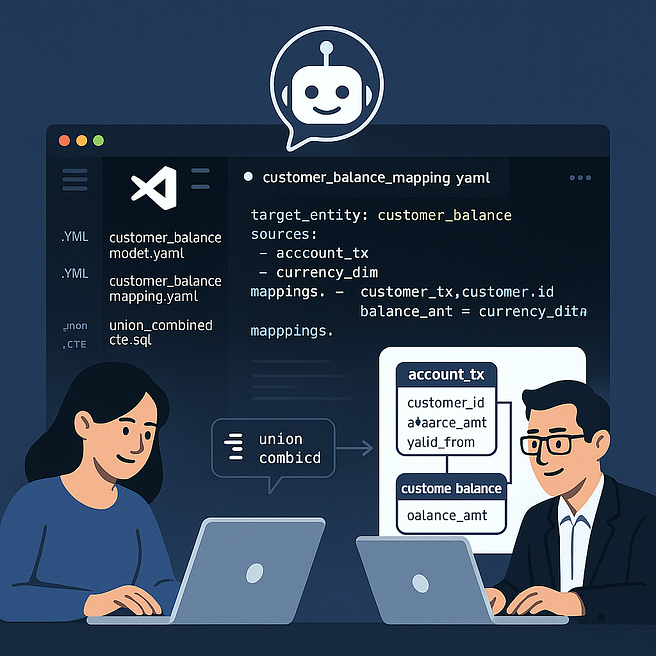
AI can do more than refactor SQL — it can help build data models, mappings, and documentation if we give it the right context.The next step in our journey is to bring this capability directly into the workspace where business developers and data modelers collaborate every day: VS Code with Copilot.
By combining our metadata, YAML rules, and AI prompting approach, we can turn VS Code into a smart modeling studio — where Copilot helps users design data flows, document mappings, and generate SQL that is already compliant with platform standards.
Press enter or click to view image in full size
From SQL Transformation to Model Creation
During the migration project, we noticed that many of the rules we wrote — about joins, filters, naming, and modularity — weren’t specific to migration.
They represented how good SQL and data models should look in general.
That insight led us to a simple idea:
If we can teach AI to migrate SQL using those rules, we can also teach it to generate new logic from metadata and data models.
So we started experimenting with using Copilot in VS Code to assist in three areas:
- Functional data mapping — generating mapping specifications from entity relationships.
- Data modeling — producing YAML model files and Draw.io diagrams directly from metadata.
- Documentation — writing Markdown summaries and transformation explanations.
All grounded in the same rule-based foundation we already use for migration.
The Vision: A Shared Workspace for Modelers and Engineers
In traditional organizations, there’s a strict line between business developers and data engineers. Modelers work in Excel or Confluence; engineers work in notebooks or pipelines. That separation slows everything down.
Our goal is to merge both worlds in a shared, governed workspace powered by AI.
Here’s how we imagine it:
Press enter or click to view image in full size

Everyone works in VS Code, using the same files, the same rules, and the same AI assistant.
Step 1: Copilot for Functional Mappings
We started by connecting Copilot to our existing metadata.
For each target entity, we store its structure, relationships, and column lineage.
Copilot can use this context to suggest mappings automatically.
For example, when a modeler begins writing a YAML mapping file, Copilot can autocomplete:
target_entity: customer_balance
sources:
– account_tx
– currency_dim
mappings:
– customer_id: account_tx.customer_id
– balance_amt: account_tx.amount * currency_dim.fx_rate
– valid_from: account_tx.tx_date
Then, based on our rule definitions, Copilot explains:
“Applied SCD2 filtering for account_tx based on valid_from and valid_to.”
Instead of writing SQL manually, the modeler defines intent — and AI handles structure and documentation.
Step 2: Copilot for Draw.io and ERD Generation
Next, we integrated the VS Code Draw.io extension into the workflow.
When the user saves a mapping, Copilot can generate a Draw.io ERD diagram automatically, showing:
- Entities and their attributes
- Source-to-target relationships
- Derived and filtered CTEs
These diagrams aren’t static; they’re linked to metadata.
When the model changes, the diagram updates — ensuring the documentation is always in sync.
This turns visual modeling into a live artifact rather than a one-off export.
Step 3: Documentation as a Side-Effect
Every time a mapping or transformation is created, Copilot writes a Markdown summary:
Customer Balance Mapping
Purpose: Combine account transactions and FX rates into customer-level balances.
SCD2 Context: Records filtered by functional PIT date {functional_pit}.
Rules Applied: [FLT_SCD2_FILTER, JOIN_PREPROCESSED_KEYS, OPT_COLUMN_EXPLICIT]
Validation: Passed (column completeness verified)
These summaries are stored in a /docs folder and automatically published to Confluence. The key insight: documentation is generated, not written.
Step 4: Rule Awareness in Copilot
Because we already formalized our rules in YAML, we can expose them to Copilot as “guardrails.”
When a user writes a CTE or mapping that violates a rule, Copilot can suggest a correction:
“CTE
_filter_tx_mixes filtering and aggregation.
Split into two CTEs according to rule MOD_SEPARATE_STEPS.”
This is how governance becomes interactive — not reactive.
Why It Matters
The real breakthrough here isn’t technical — it’s cultural.
We’re redefining how people collaborate around data logic.
- Business developers work directly with metadata and models.
- Engineers focus on platform optimization and performance.
- AI ensures that everything stays consistent, documented, and compliant.
The result is a metadata-driven, AI-assisted development culture — transparent, explainable, and scalable.
What Comes Next
In the next phase of the pilot, we’re planning to:
- Enable Copilot access in VS Code for business developers and data modelers.
- Connect the Copilot context window to DuckDB metadata and YAML rules.
- Evaluate productivity and consistency improvements during modeling and documentation.
This will extend the same disciplined automation we built for SQL migration into continuous development — where governance, automation, and AI live in the same environment.
Key Takeaways
- The same AI-assisted rule framework can power data modeling, not just migration.
- Copilot in VS Code becomes the shared workspace for modelers and engineers.
- Metadata, YAML rules, and documentation converge into one governed workflow.
- Governance as Code turns into Modeling as Collaboration — guided by AI.
➡️ Next in the series:
“AI and Metadata-Driven Collaboration: The Future of Data Development” — how we’re combining metadata governance, AI copilots, and open standards to shape the next generation of enterprise data platforms.
🧭 About This Series
This article is part of the series “AI-Assisted SQL Migration” — an exploration of how we can combine metadata, Python, and Generative AI to transform the way we design, migrate, and govern data platforms.
Series Overview:
1️⃣ Why AI-Assisted SQL Migration Matters
2️⃣ Extracting the Hidden Metadata Inside SQL
3️⃣ From Raw SQL to Logical Building Blocks
4️⃣ Teaching AI to Apply Rules: Prompts, Validation, and Feedback Loops
5️⃣ Governance by Design: Making SQL Transparent, Modular, and Auditable
6️⃣ The Power of YAML Rules: Deduplication, Unions, and Optimization Patterns
7️⃣ The Python Rule Engine: Automating Transformation, Validation, and Documentation
8️⃣ Beyond Migration: Copilot-Assisted Data Modeling in VS Code
9️⃣ AI and Metadata-Driven Collaboration: The Future of Data Development
💬 Related Essay:
Do We Still Need Traditional Data Modeling Tools? — A reflection on whether AI-assisted, VS Code-based modeling makes legacy tools like PowerDesigner or ERwin obsolete.
🤝 Join the Conversation
I’m exploring how AI, metadata, and model-driven thinking can make data platforms more transparent, explainable, and collaborative.
If you’ve experimented with similar ideas — or have thoughts on applying AI to data modeling, migration, or governance — I’d love to hear from you in the comments or connect on LinkedIn.