From Metadata to Miro- Exploring Interactive Business-Friendly Data Modeling
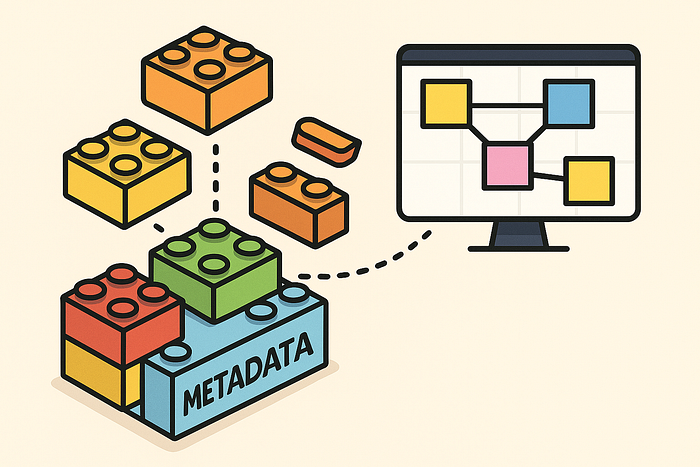
👉 Miro can become a collaborative, user-friendly front-end for metadata-driven modeling — bridging business workshops and technical metadata through a two-way sync.
Summary
- Miro can act as a collaborative, user-friendly front-end for business-friendly data modeling.
- By building a two-way bridge (Python scripts + API), we can sync metadata ↔ Miro boards.
- Benefits: interactive workshops, stakeholder engagement, hybrid workflows with draw.io/VSCode, and traceability.
- Challenges: balancing free-form Miro with modeling discipline, ensuring version control, and managing API constraints.
- Goal: a modern, agile, hybrid solution where Miro complements metadata-driven engineering.
Introduction
In earlier articles I have shown how Business-Friendly Mapping (BFM) helps make ETL and data integration transparent and understandable for business users:
- Cooking with Data: How Business-Friendly Mapping Brings Clarity to ETL
- Business-Friendly Mapping in Action — From Sources to Integration
- The Foundation of Business-Friendly Mapping — High-Quality Data Models
And I’ve demonstrated how tools like draw.io and VSCode can be integrated into a metadata-driven workflow:
- Organizing Diagrams and Metadata in VSCode
- Parsing draw.io Diagrams Back into Metadata
- Automating draw.io Diagram Generation from Metadata
But now I want to explore a new idea: using Miro as a front-end for interactive, collaborative modeling in a metadata-driven data architecture.
Why Miro?
Tools like ellie.ai have shown that there’s real value in modern, user-friendly modeling environments that can combine business semantics with technical precision.
Miro offers several characteristics that make it a compelling candidate:
- Interactivity: real-time collaboration, independent of location.
- User-friendly design: business stakeholders already use Miro for ideation, workshops, and process mapping.
- Flexibility: no rigid schema, free-form modeling that can adapt to different styles.
- Integration potential: Miro’s API allows export and import, opening the door to metadata synchronization.
In other words: what if Miro could serve as the agile modeling canvas, while our metadata repositories (DuckDB, Notion, or YAML-based models) remain the system of record?
The Idea: A Two-Way Bridge
The concept is to build Python scripts that connect metadata and Miro boards:
Metadata → Miro
- Generate Miro boards directly from metadata (e.g., entities, attributes, mappings).
- Place logical blocks (select, derive, filter, aggregate, union) as sticky notes or cards.
- Create relationships and flows that mirror BFM diagrams.
Miro → Metadata
- Parse board contents back into structured metadata.
- Capture new mappings, renamed attributes, updated flows.
- Feed these changes back into the metadata repository.
This would allow business-friendly modeling workshops in Miro to directly influence the technical metadata — and ensure that what happens in a workshop is not lost in screenshots or PDFs.
Benefits
- Business Engagement: Stakeholders already comfortable with Miro can directly contribute to data model discussions.
- Agility: Iterations can happen live, in collaborative sessions.
- Traceability: Everything captured in Miro can be converted back into structured metadata.
- Hybrid Workflow: Combine Miro for workshops, draw.io/VSCode for technical rigor, and metadata repositories for persistence.
Challenges
- Structure vs. Freedom: Miro is intentionally free-form. Ensuring modeling discipline while keeping flexibility will be key.
- API & Tooling Limits: Miro’s API will define how well we can automate import/export.
- Version Control: Synchronizing Miro boards with versioned metadata in Git or databases is non-trivial.
- Consistency: Business-driven edits must not break technical validity.
Next Steps
- Prototype Python scripts for metadata → Miro (e.g., generate a mapping diagram as Miro cards).
- Experiment with Miro → metadata parsing, perhaps starting with JSON exports.
- Define rules for ensuring consistency when users edit models in Miro.
- Evaluate hybrid usage: Miro for workshops, draw.io + VSCode for ongoing technical refinement.
Conclusion
Miro has the potential to bring modern, agile, collaborative energy into the world of metadata-driven data engineering. By connecting it to our existing framework — Business-Friendly Mapping, dual SCD2 historization, metadata repositories, and automated code generation — we can create a modeling workflow that is:
- powerful for engineers,
- interactive for business users,
- hybrid across locations and tools,
- and future-proof for modern data platforms.
This article is the start of that exploration. The next step is to prototype and test whether Miro can truly serve as a first-class modeling interface in our framework.