How documentation-as-code transforms AI from assistant to collaborator
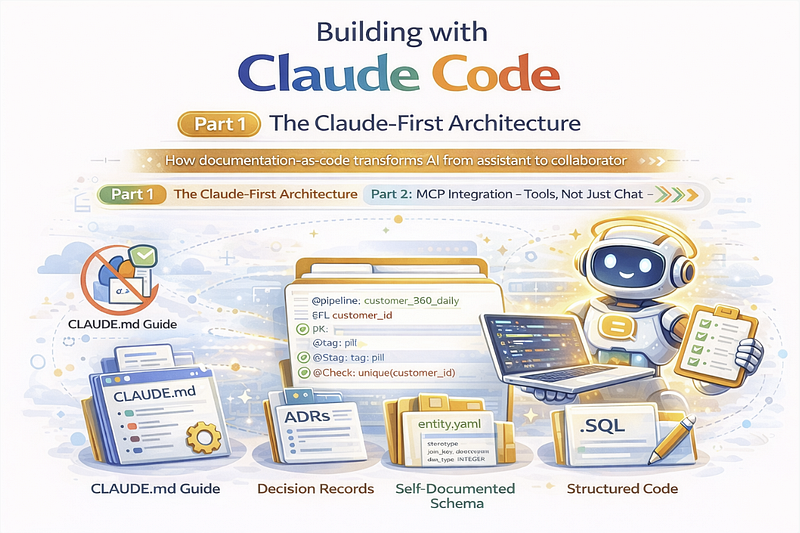
Building with Claude Code: Part 1 — The Claude-First Architecture
How documentation-as-code transforms AI from assistant to collaborator
Series: Building a 6,600+ Test Framework with Claude Code
- Part 1: The Claude-First Architecture (this article)
- Part 2: MCP Integration — Tools, Not Just Chat
- Part 3: Practical Tips for AI-Assisted Development
When people ask me about AI-assisted development, I don’t show them a chatbot writing a todo app. I show them MDDE — a metadata-driven data engineering framework with 6,634 unit tests, 278 architecture decision records, and 171 entity definitions. And yes, Claude helped build most of it.
This isn’t about replacing developers. It’s about amplifying them.
What is MDDE?
MDDE (Metadata-Driven Data Engineering) is a framework that parses SQL into metadata, enables analysis and optimization, and generates SQL for 11 different database platforms.
Think of it as a “compiler for data pipelines” — you define transformations once, and the system generates platform-specific SQL, documentation, lineage diagrams, and quality checks.
SQL Input → Metadata → Analysis → Optimization → SQL Output (11 dialects)
                ↓
          Documentation
          ERD Diagrams
          Data Quality Rules
          dbt Projects
Building this required:
- Deep SQL parsing across dialects (Snowflake, Databricks, BigQuery, etc.)
- Complex lineage tracking (entity and column-level)
- 50+ analyzer checks for anti-patterns
- Integration with Data Vault, dimensional modeling, and bi-temporal patterns
- Export to Word, Excel, PowerPoint, Mermaid, GraphML, and interactive HTML
It’s the kind of project that would take a team years. With Claude, I’ve been shipping major features weekly.
The Key Insight
The key insight isn’t “use AI to write code faster.” It’s designing your project so AI can understand and contribute to it effectively.
A chaotic codebase becomes more chaotic with AI help. A well-structured project becomes something you couldn’t build alone.
Here’s my three-pillar approach:
Pillar 1: The CLAUDE.md File
Every project needs a comprehensive guide that serves both human developers AND AI assistants. My CLAUDE.md is 1,200+ lines covering:
- Project architecture — What each module does
- Module boundaries — When to use Generator vs Optimizer vs Analyzer
- Metadata model — The 171 entities and their relationships
- Development workflow — How to add features, write tests, update docs
- Common tasks — Step-by-step guides for adding exporters, parsers, optimizer passes
Here’s an example of how I document module boundaries:
## Module Boundaries (ADR-100)

| Criterion      | Generator         | Optimizer        | Analyzer            |
|----------------|-------------------|------------------|---------------------|
| Primary output | SQL strings       | Updated metadata | Reports/diagnostics |
| Writes to DB   | No (read-only)    | Yes (transforms) | No (read-only)      |
| Pipeline phase | Post-optimization | Pre-generation   | Analysis            |

**Generator** - Pure SQL generation:
- Reads metadata, produces SQL strings
- **No database modifications**
- Examples: `template_engine.py`, `temporal_join_sql.py`

**Optimizer** - Metadata transformation:
- Idempotent passes that create/update metadata
- **Writes to entity_mapping, entity_window, etc.**
- Examples: `join_builder.py`, `window_builder.py`

**Analyzer** - Validation and detection:
- Produces diagnostics, reports, and analysis results
- **Read-only** - never modifies metadata
- Examples: `join_checks.py`, `temporal_detector.py`
When Claude reads this, it knows exactly where to put new code and which patterns to follow.
No more “should I add this to the parser or the generator?” confusion.
What Makes a Good CLAUDE.md
- Start with context — What the project does, why it exists
- Define boundaries — Where code belongs, what each module owns
- Document patterns — Import structure, database connections, configuration
- Include workflows — Step-by-step guides for common tasks
- Link to details — Reference ADRs and instruction docs
The goal: Claude should be able to read CLAUDE.md and understand your project as well as a new team member would after their first week.
Pillar 2: Architecture Decision Records (ADRs)
Every significant decision gets an ADR. With 278+ ADRs, Claude can understand why the code is structured a certain way, not just how.
# ADR-144: Dual SCD2 & PIT Tables

**Status**: Accepted
**Date**: 2026-01-15
**Category**: temporal
## Context
We need bi-temporal support for auditable historical queries.
Standard SCD2 only tracks system time, but regulatory requirements
demand business-time tracking as well.
## Decision
Implement dual_scd2 stereotype with business + system timelines.
Add pit_helper stereotype for point-in-time join optimization.
## Consequences
- Four query types: AS-IS, AS-WAS, AS-OF, AS-WAS-AS-OF
- PITGenerator creates helper tables automatically
- AsOfQueryGenerator produces temporal query SQL
- T005-T006 analyzer checks validate temporal attributes
Why ADRs Matter for AI
When I ask Claude to add temporal features, it reads the relevant ADRs first and maintains consistency with existing decisions. The ADR tells Claude:
- What we decided — dual_scd2 with business + system timelines
- Why we decided it — regulatory requirements for auditable history
- What it affects — four query types, specific generators, specific checks
Without this context, Claude might suggest a simpler SCD2 implementation that doesn’t meet the requirements. With the ADR, it knows the constraints and builds accordingly.
ADR Organization
I organize ADRs by module:
docs/adr/
├── generator/
│   ├── ADR-100-Generator-vs-Optimizer-Module-Boundaries.md
│   ├── ADR-229-Unified-ALTER-Script-Generation.md
│   └── ADR-252-SQL-Dialect-Support.md
├── analyzer/
│   ├── ADR-144-Dual-SCD2-PIT-Tables.md
│   └── ADR-237-Visual-Diff-Engine.md
├── genai/
│   ├── ADR-099-Agentic-AI-MCP-Integration.md
│   ├── ADR-261-GenAI-Transpiler.md
│   └── ADR-190-Agent-SDK-Integration.md
└── integrations/
    ├── ADR-099-Agentic-AI-MCP-Integration.md
    └── ADR-100-GenAI-IDE-Integration.md
Pillar 3: The Internal Model (Dogfooding)
MDDE’s metadata schema is itself modeled as an MDDE model. This “dogfooding” means:
- Every database table has a YAML definition with business descriptions
- Relationships are explicitly documented
-
Claude can query the schema to understand itself
src/mdde/internal/model/models/core/entities/entity_mapping/entity.logical.yaml
entity:
id: ent_entity_mapping
name: entity_mapping
description: “Tracks provider-consumer relationships between entities.
Each row represents a source entity feeding data into a target entity.”
stereotype: core_metadataattributes:
– attribute_name: consumer_entity_id
data_type: VARCHAR(36)
mandatory: true
description: “Entity that consumes/references the provider”
– attribute_name: provider_entity_id
data_type: VARCHAR(36)
mandatory: true
description: “Entity that provides data to the consumer”
– attribute_name: join_type
data_type: VARCHAR(20)
mandatory: false
description: “Type of join: INNER, LEFT, RIGHT, FULL, CROSS”
Benefits of Self-Documentation
- Claude understands the data model — When I say “add a new column to track mapping priority,” Claude knows exactly which table, what the existing columns are, and what constraints apply.
- Validation is automatic — The YAML definitions are validated against JSON schemas. Claude’s changes must be structurally correct.
- Documentation stays in sync — The YAML files generate documentation. No drift between code and docs.
-
Consistency checks — A script compares the YAML model against the actual DuckDB schema, catching any divergence:
python src/mdde/internal/model/scripts/compare_schema.py
Output:
✓ 171 entities in sync
✓ 0 missing in YAML
✓ 0 missing in database
The Documentation Hierarchy
Documentation is organized in layers, each serving a different purpose:
CLAUDE.md (root - always read first)
│
├── docs/instructions/core/          # How-to guides
│   ├── GLOSSARY.md                  # All terminology
│   ├── SQL_PARSING.md               # Parser usage
│   ├── OPTIMIZATION.md              # Optimizer usage
│   └── DATA_QUALITY.md              # DQ patterns
│
├── docs/instructions/platform/      # Platform-specific
│   ├── MCP_INTEGRATION.md           # MCP setup
│   ├── DATABRICKS_UNITY_CATALOG.md  # Databricks patterns
│   └── PIPELINE_GENERATION.md       # Orchestration
│
├── docs/adr/                        # Decision records
│   ├── generator/ADR-xxx-*.md       # Why decisions were made
│   ├── analyzer/ADR-xxx-*.md
│   └── genai/ADR-xxx-*.md
│
└── src/mdde/internal/model/         # Self-documenting schema
    ├── README.md                    # Model overview
    └── models/*/entities/           # Entity definitions
The Key Principle: Start Broad, Link to Specifics
CLAUDE.md provides the overview and links to instruction docs. Instruction docs link to relevant ADRs. ADRs link to implementation files.
When Claude needs to understand something:
- It reads CLAUDE.md for context
- Follows links to specific instruction docs
- Checks ADRs for decision rationale
- Examines the internal model for schema details
Results: What This Architecture Enables
With this structure in place, Claude can:
Add complete features — “Add a new exporter for Confluence” results in properly placed code following existing patterns, with tests, documentation updates, and roadmap changes.
Maintain consistency — New code follows the same patterns as existing code because the patterns are documented and Claude reads them.
Understand context — When modifying temporal handling, Claude reads ADR-144 first and maintains compatibility with the four query types.
Self-validate — Changes to the metadata schema are checked against the internal model definitions.
Learn the codebase — Each session, Claude reads CLAUDE.md and understands the project structure without me re-explaining.
Getting Started with Your Project
You don’t need 1,200 lines on day one. Start with:
Week 1: Create CLAUDE.md
Write the guide you wish existed for new developers:
- What does your project do?
- What are the main modules?
- How do you add a new feature?
- What patterns should code follow?
Week 2: Add Your First ADRs
Document 3–5 key decisions that shape your codebase:
- Why did you choose this database?
- Why is the code structured this way?
- What patterns did you adopt and why?
Week 3: Add Instruction Docs
Create how-to guides for common tasks:
- How do you set up the development environment?
- How do you run tests?
- How do you deploy?
Week 4: Consider Self-Documentation
If your project has a data model, consider defining it in a structured format (YAML, JSON) that both humans and Claude can read.
What’s Next
In Part 2, we’ll explore MCP (Model Context Protocol) integration — how to give Claude tools to interact with your system directly, enabling conversations like “What depends on this table?” that Claude can answer by querying your metadata.
The architecture we’ve built here is the foundation. MCP turns it into something interactive.
Resources
- Architecture Decision Records — ADR format reference
- Claude Code Documentation — Official guide