How to make conceptual, logical, and physical data models discoverable and navigable for everyone
Summary
Over the past four articles, we’ve built a fully automated metadata-driven framework — from conceptual modeling to physical SQL generation.
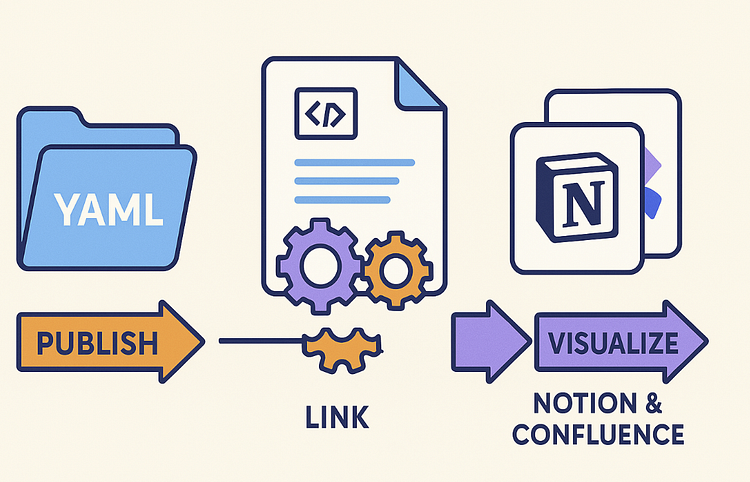
Now it’s time to share it with the wider organization.This article focuses on how to publish your YAML-based models to documentation platforms such as Notion or Confluence, combining lineage, diagrams, and model definitions into dynamic knowledge assets.
1. Why Publish Models as Metadata
Even the best-designed models lose value if they stay buried in source control. Publishing models closes the feedback loop between modelers, engineers, and business users.
Benefits include:
📘 Transparency — anyone can trace a column back to a business concept
🔁 Synchronization — documentation updates automatically after each change
🔍 Discoverability — metadata becomes searchable, linkable, and contextual
🧩 Governance — lineage and ownership are visible in one place
2. The Metadata Structure Recap
Our YAML framework already provides the hierarchy:
models/
├── conceptual/
├── logical/
└── physical/
Each file describes an entity with attributes, relationships, and lineage links. Publishing simply means converting these YAMLs into readable, linked pages.
3. Publishing Workflow Overview
A practical publishing pipeline looks like this:
YAML → Markdown → API Upload → Notion / Confluence
1️⃣ Convert YAML to Markdown
2️⃣ Embed diagrams (Mermaid or draw.io)
3️⃣ Push pages using the Notion or Confluence API
4️⃣ Link layers via URLs for navigation
The result is a browsable catalog of business and data concepts — always up to date.
4. Step-by-Step: YAML → Markdown
Below is a simplified Python converter:
import yaml, pathlib
def yaml_to_markdown(entity_path):
data = yaml.safe_load(open(entity_path))
md = [f”# {data[‘entity’]}”, “”, f”Layer: {data[‘layer’]}”]
if ‘derived_from’ in data:
md.append(f”Derived from: {data['derived_from']}”)
if ‘description’ in data:
md.append(f”\n{data[‘description’]}\n”)
md.append(“## Attributes”)
for a in data.get(“attributes”, []):
md.append(f”- {a[‘name’]} ({a.get(‘datatype’,’string’)})”)
if a.get(“derived_from”):
md.append(f” – derived from {a['derived_from']}”)
if data.get(“relationships”):
md.append(“\n## Relationships”)
for r in data[“relationships”]:
md.append(f”- {r[‘name’]} → {r[‘target’]} ({r[‘type’]})”)
return “\n”.join(md)
This produces a readable Markdown summary for each entity.
5. Adding Diagrams and Links
For each entity, you can embed a Mermaid diagram:
classDiagram
class Customer {
+CustomerID : int
+FirstName : string
+LastName : string
}
Customer “1” –> “*” Order
And link between layers using derived_from metadata:
Derived from: conceptual.Customer
This creates navigable cross-references between conceptual, logical, and physical layers.
6. Publishing to Notion
Using the Notion API, you can automate uploads.
Example snippet (using notion_client):
from notion_client import Client
import pathlib
notion = Client(auth=”YOUR_NOTION_API_KEY”)
parent_db = “1390a2bdf63d8069b242d1afd6a00fd5”
for md_file in pathlib.Path(“docs/logical”).glob(“*.md”):
title = md_file.stem
content = md_file.read_text()
notion.pages.create(
parent={“database_id”: parent_db},
properties={“Name”: {“title”: [{“text”: {“content”: title}}]}},
children=[{“object”: “block”, “type”: “paragraph”,
“paragraph”: {“rich_text”: [{“type”: “text”, “text”: {“content”: content}}]}}]
)
Each entity becomes a Notion page with its attributes, relationships, and lineage. You can further automate updates by including page URLs in the YAML as notion_page.
7. Publishing to Confluence
For Confluence, use the REST API or the atlassian-python-api package:
from atlassian import Confluence
conf = Confluence(url=”https://yourdomain.atlassian.net/wiki”, username=”user”, password=”token”)
space = “DATA”
for md_file in pathlib.Path(“docs/logical”).glob(“*.md”):
conf.create_page(
space=space,
title=md_file.stem,
body=md_file.read_text(),
representation=”wiki”
)
This turns your metadata repository into a living Confluence catalog, complete with ER diagrams and YAML-to-page lineage.
8. Automating the Full Publish Cycle
Add this process to CI/CD:
python tools/generate_logical.py
python tools/generate_sql.py
python tools/yaml_to_md.py
python tools/publish_notion.py
✅ Models are generated, validated, and published automatically.
✅ Pages stay aligned with every code commit.
9. Example Result in Notion
- Customer (Logical)
→ Derived from: conceptual.Customer
→ Related to: Order
→ Attributes: FirstName, LastName
→ Diagram: embedded Mermaid class diagram
→ Links to physical table definition
Your entire modeling framework becomes a navigable knowledge graph — from the business glossary down to DDL.
10. In Summary
By publishing your models as metadata-driven documentation, you make your data architecture transparent, living, and accessible. No more static PDFs or forgotten diagrams — your metadata becomes a continuously updated data catalog.
The same YAMLs that drive SQL generation can now drive business understanding.
11. Next in the Series
“Querying the Metadata Itself: Building a Metadata Catalog with DuckDB.”
We’ll show how to index all YAMLs into a lightweight database for lineage queries, impact analysis, and cross-model reporting.